All features
Domain expiry monitoring

Domain expiry monitoring, built into every monitor

When a domain lapses, the website, its email and everything else on it stop working, and after the grace period anyone can register it. Every monitor on a public domain looks up its registration expiry once a day and warns you well before it runs out.

No extra setup

Website, API, DNS, TCP and ping monitors on a domain name are covered automatically. It doesn't use up a monitor.

Three warnings, not one

Alerts go out 30, 7 and 1 day before expiry, so a missed email or a failed card payment doesn't become an outage.

Straight from the registry

Expiry dates come from the registry's RDAP data, the modern replacement for WHOIS, and renewals are picked up within a day.

See it in Spot Downtime

The real app, with a demo team's monitors. Included on every plan, Free too.

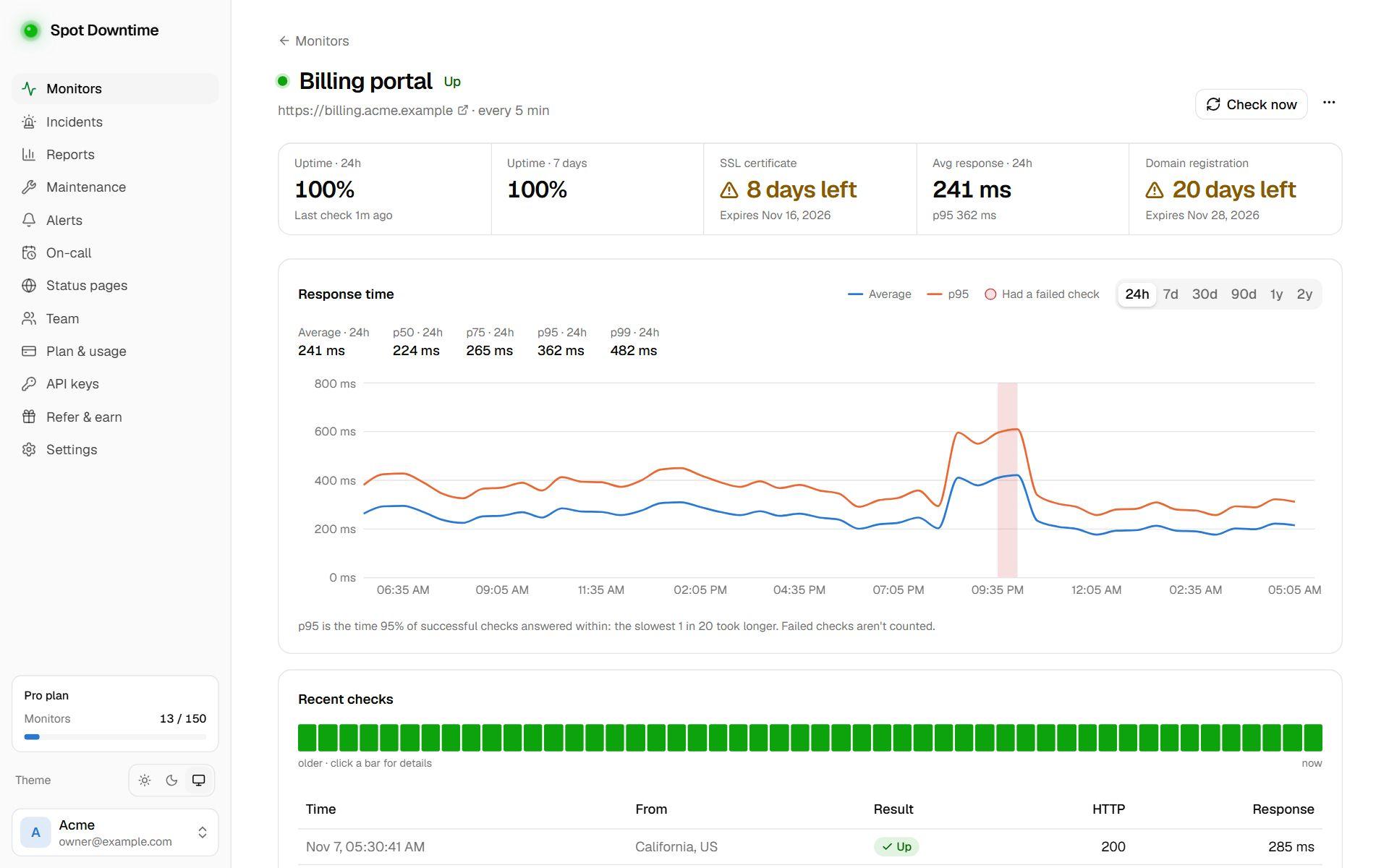
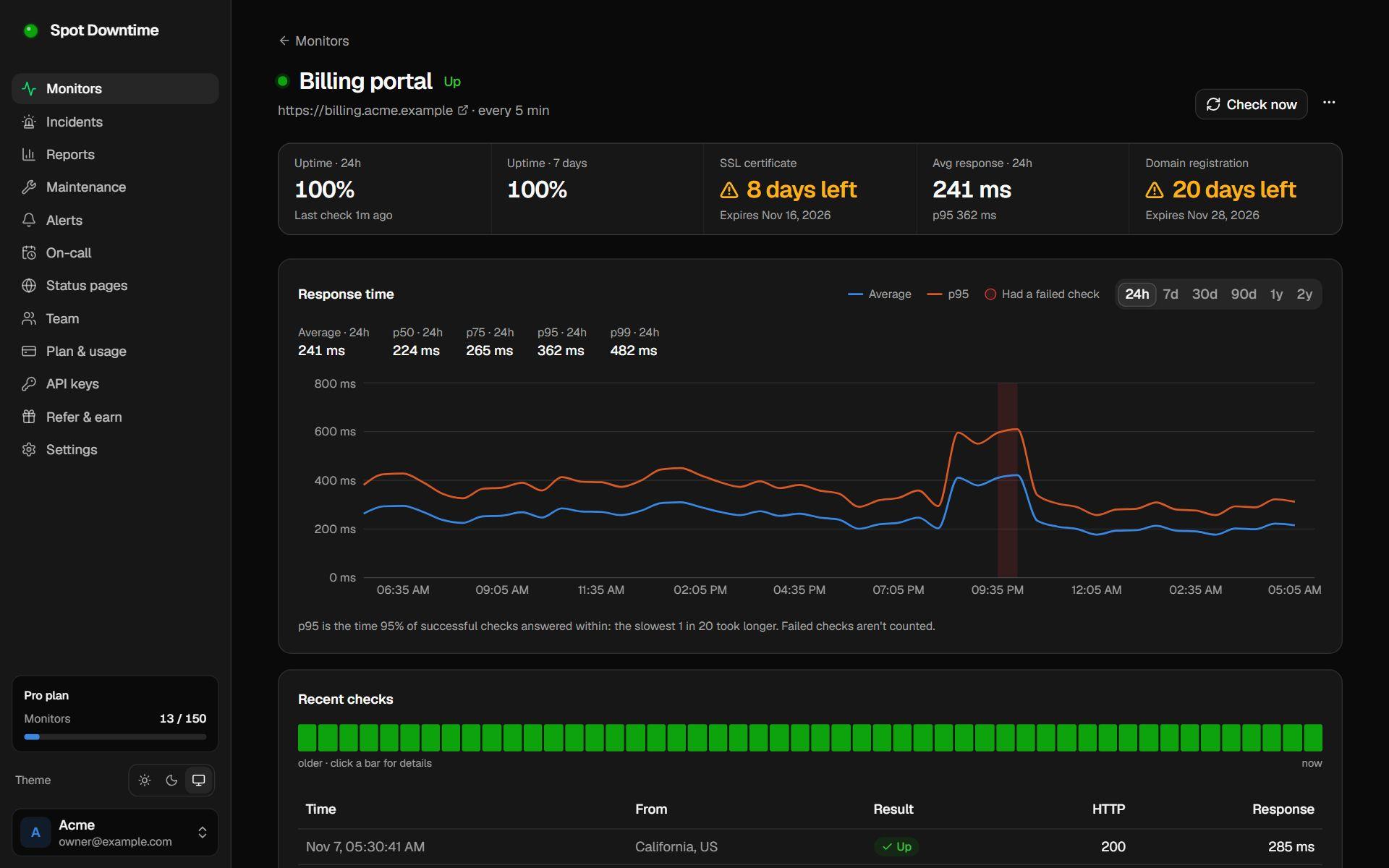
A website monitor with an SSL certificate expiring in 9 days and a domain expiring in 21 days
Certificate and domain expiry on the monitor's page, with warnings well before either lapses.

Why domains still expire

Almost every domain is on auto-renew, and domains still lapse every day. The card on file expired, the person who registered it left and their email bounces, the registrar account moved during an acquisition, or a renewal notice went to a spam folder. Nothing fails until the expiry date, and then everything fails at once.

When a domain lapses, the website stops resolving, email stops arriving, and API clients, single sign-on and payment callbacks that use the domain break with it. After the registrar's grace period, anyone can register it, including someone who wants your traffic.

How Spot Downtime watches it

Every monitor whose address is a public domain name, such as a website, API, DNS, TCP or ping monitor, has its registered domain looked up once a day in the registry's RDAP data, the structured successor to WHOIS. A monitor for https://shop.example.co.uk checks example.co.uk. There's nothing to set up and it doesn't use up a monitor.

The expiry date appears on the monitor's page next to its SSL certificate. Alerts go to your channels 30, 7 and 1 day before it, so the first warning leaves time to fix a payment or chase a former colleague's account. When you renew, the new date is picked up within a day and the warnings re-arm for the next year.

What to do when the warning arrives

Log in to the registrar, check auto-renew is on and the payment method is current, and renew now rather than waiting. Make sure the account's contact email is a shared address the team reads, not one person's inbox, and turn on the registrar's lock against transfers.

How to set it up

  1. 1Add a monitor for any address on your domain, such as https://www.example.com.
  2. 2Within a few minutes, the monitor's page shows when the domain expires.
  3. 3Get alerts through your channels 30, 7 and 1 day before it lapses.

The details

Warnings
30, 7 and 1 day before expiry; renewing re-arms them
Covered
Every website, API, DNS, TCP and ping monitor whose address is a public domain name
Lookups
Once a day, from the registry's RDAP data
Plan
All plans, including Free

Questions

Which domain is checked for a subdomain?
The registered domain. A monitor for https://shop.example.co.uk checks example.co.uk.
Why doesn't my domain show an expiry date?
A few country registries, such as .de and .es, don't publish expiry dates. Monitors on IP addresses, and on platform addresses like name.github.io, are skipped because there's no registration of yours to check.
Does auto-renew make this unnecessary?
Auto-renew fails quietly when a card expires or a registrar account changes hands. The warnings are your backstop.

Set up domain expiry monitoring in under a minute

Included on the Free plan. No card needed.

Create a free account