All features
Third-party service monitoring

Third-party service monitoring for the providers your app runs on

Your site can be up while the services behind it are failing: the database host, the payment API, the email provider. Spot Downtime watches the official status pages of AWS, Google Cloud, Azure, Supabase, Stripe, Vercel and 90 more, and alerts you through the same channels as your own monitors when one reports an outage in the parts you use.

Found for you

Enter your domain and we read its DNS, headers and pages to find its hosting, CDN, email, payments and auth providers. Add them all in one click.

Only the parts you use

Watch Supabase's Postgres in eu-west-1, AWS in us-east-1, or Google Cloud Run in one location, so trouble elsewhere doesn't wake you.

One place for every alert

Provider outages open incidents, reach Slack, SMS and your other channels, and can sit on your status page next to your own monitors.

See it in Spot Downtime

The real app, with a demo team's monitors. Included on every plan, Free too.

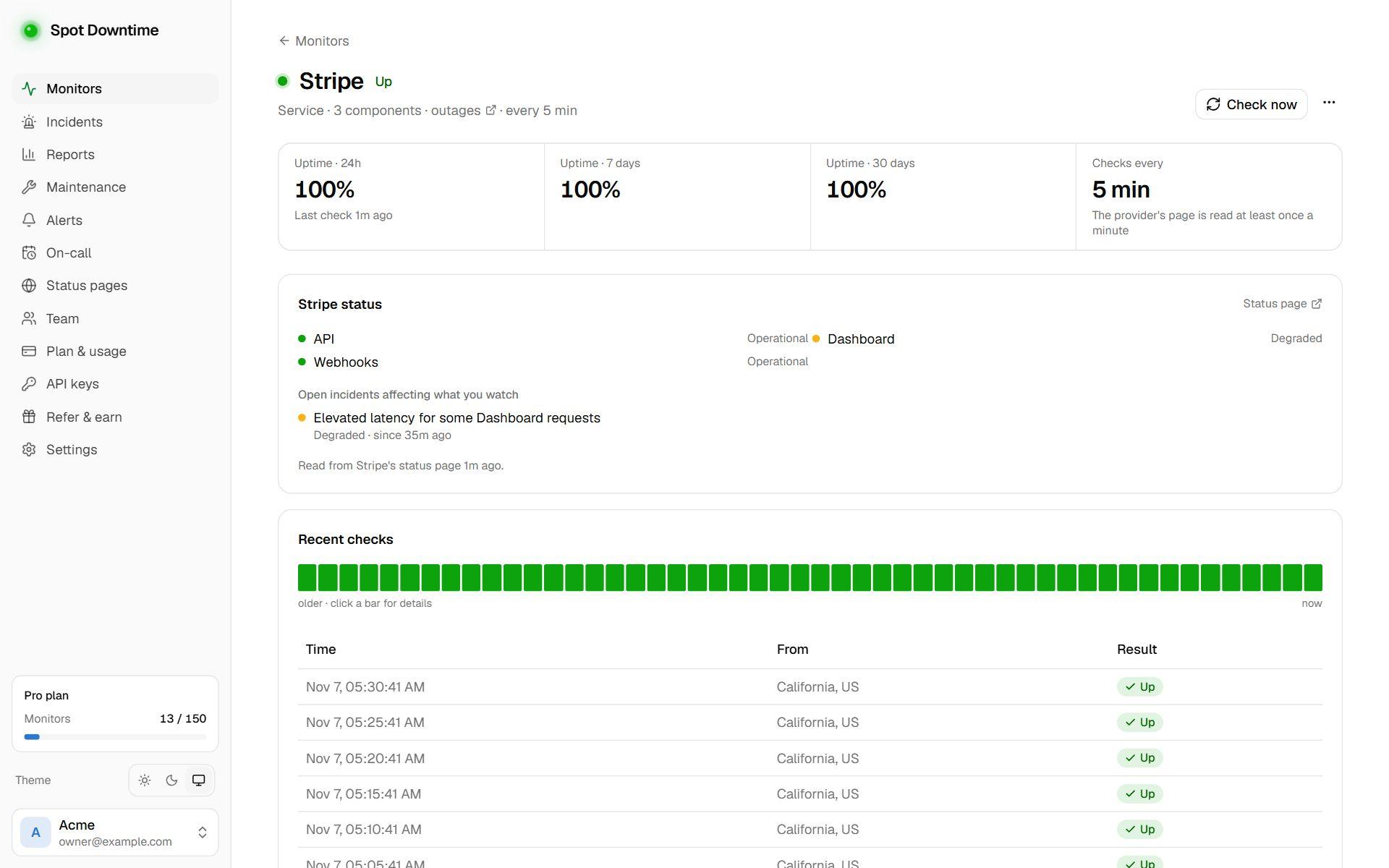
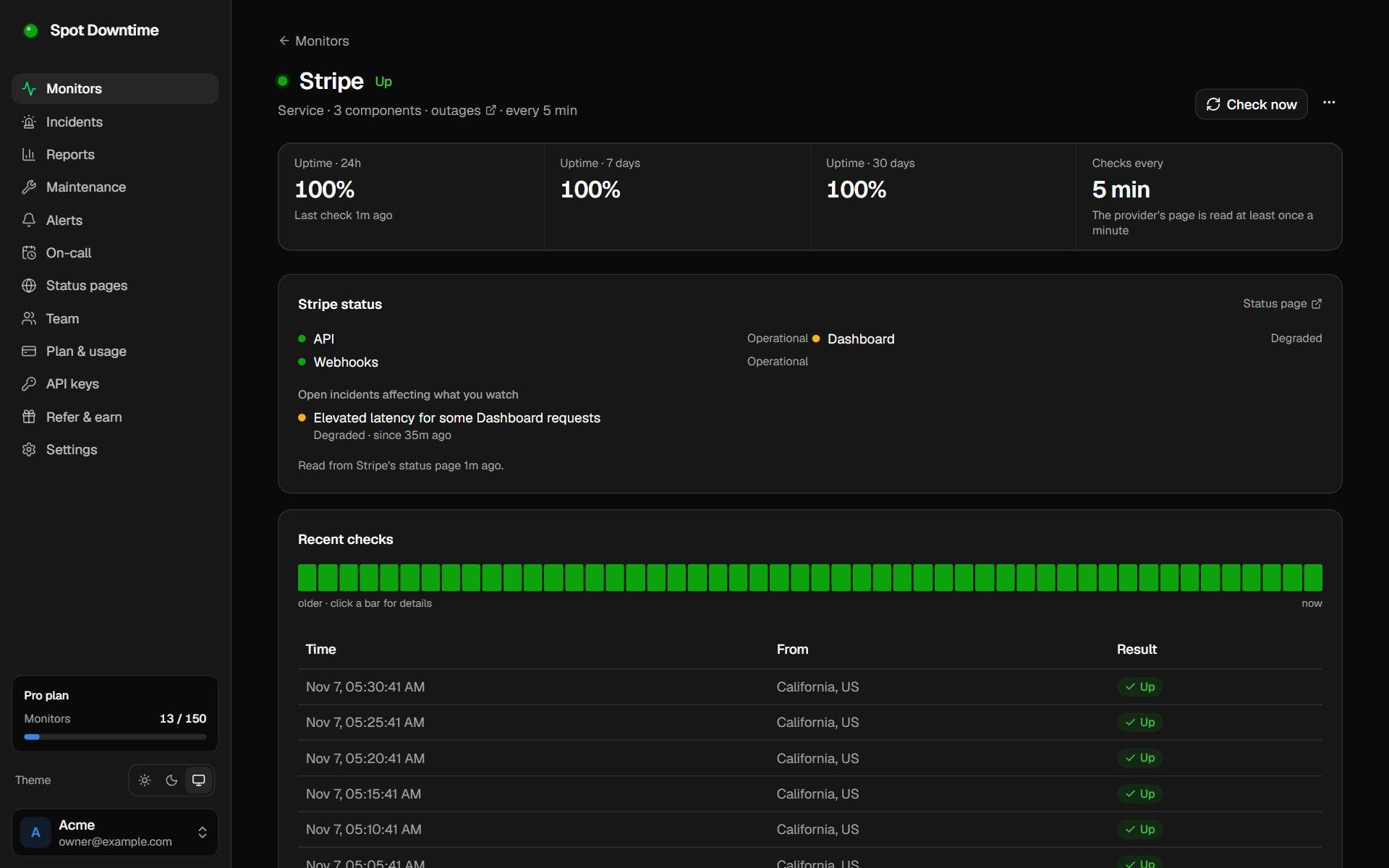
A third-party service monitor for Stripe showing a degraded Dashboard component
Stripe's status, narrowed to the components this team uses, with the open incident.

What is third-party service monitoring?

Modern apps are built on other companies' services: a cloud provider, a database host, a payment processor, an email API, a CDN. When one of them has an outage, your app breaks in ways your own checks may not explain, and your customers notice first.

Third-party service monitoring watches each provider's official status page and treats it like any other monitor. When the provider reports an outage in what you use, an incident opens and your team is alerted on Slack, SMS, email or wherever your alerts go.

Watch the parts you depend on

Big providers have hundreds of components and some of them are always in trouble somewhere. You can narrow a monitor to the parts you use: Supabase Postgres in eu-west-1, AWS in us-east-1, Google Cloud Run in europe-west1, or Stripe's API but not its dashboard.

Watching a whole service goes by the incidents the provider declares, so one rerouted data center doesn't page you. You choose whether to be alerted on outages only, or on degraded performance as well. Announced maintenance never alerts.

Find your dependencies automatically

Enter your domain and Spot Downtime looks at its nameservers, DNS records, mail and SPF setup, response headers and the scripts its pages load. That reveals hosting such as Vercel, Netlify or AWS, CDNs like Cloudflare, email senders like SendGrid or Google Workspace, and front-end services like Stripe, Supabase or Sentry.

Pick what was found, add the backend services your servers call by hand, and add them all in one go. Each service counts as one monitor on your plan.

How to set it up

  1. 1Click Add monitor and choose Third-party service.
  2. 2Enter your domain to find the services it uses, or pick them from the list.
  3. 3Optionally narrow each one to the components or regions you rely on. AWS asks for regions.
  4. 4Choose whether to be alerted on outages only, or on degraded performance too.

The details

Providers
93, including AWS, Google Cloud, Azure, Supabase, Stripe, Vercel, Cloudflare, OpenAI, GitHub, Twilio and Slack
Source
Each provider's official status page, read at least once a minute
Counts as down
A partial or major outage in what you watch; optionally degraded performance too. Maintenance never alerts
Whole service
Goes by the incidents the provider declares, not one data center or region in trouble
Plan
All plans, including Free. Each service counts as one monitor

Questions

Why not just check the provider's website?
A provider's homepage stays up during most outages. Their status page says which product and region is affected, which is what tells you whether your app is.
Can it find services my servers call, like a database?
Detection sees what's visible from outside: DNS, email setup, headers and the scripts your pages load. Backend-only services can't be seen, so pick those from the list.
Why do AWS monitors need regions?
Some AWS region almost always has an open event, so watching all of AWS would never be quiet. Pick the regions you run in, plus Global services if you use Route 53, IAM or CloudFront.

Set up third-party service monitoring in under a minute

Included on the Free plan. No card needed.

Create a free account