Spot Downtime for Windows: downtime alerts on your desktop
A free Windows app that shows a notification within seconds of a monitor going down, lets you acknowledge it from the alert, and puts your monitors and incidents on your desktop.
· 3 min read · By the Spot Downtime team
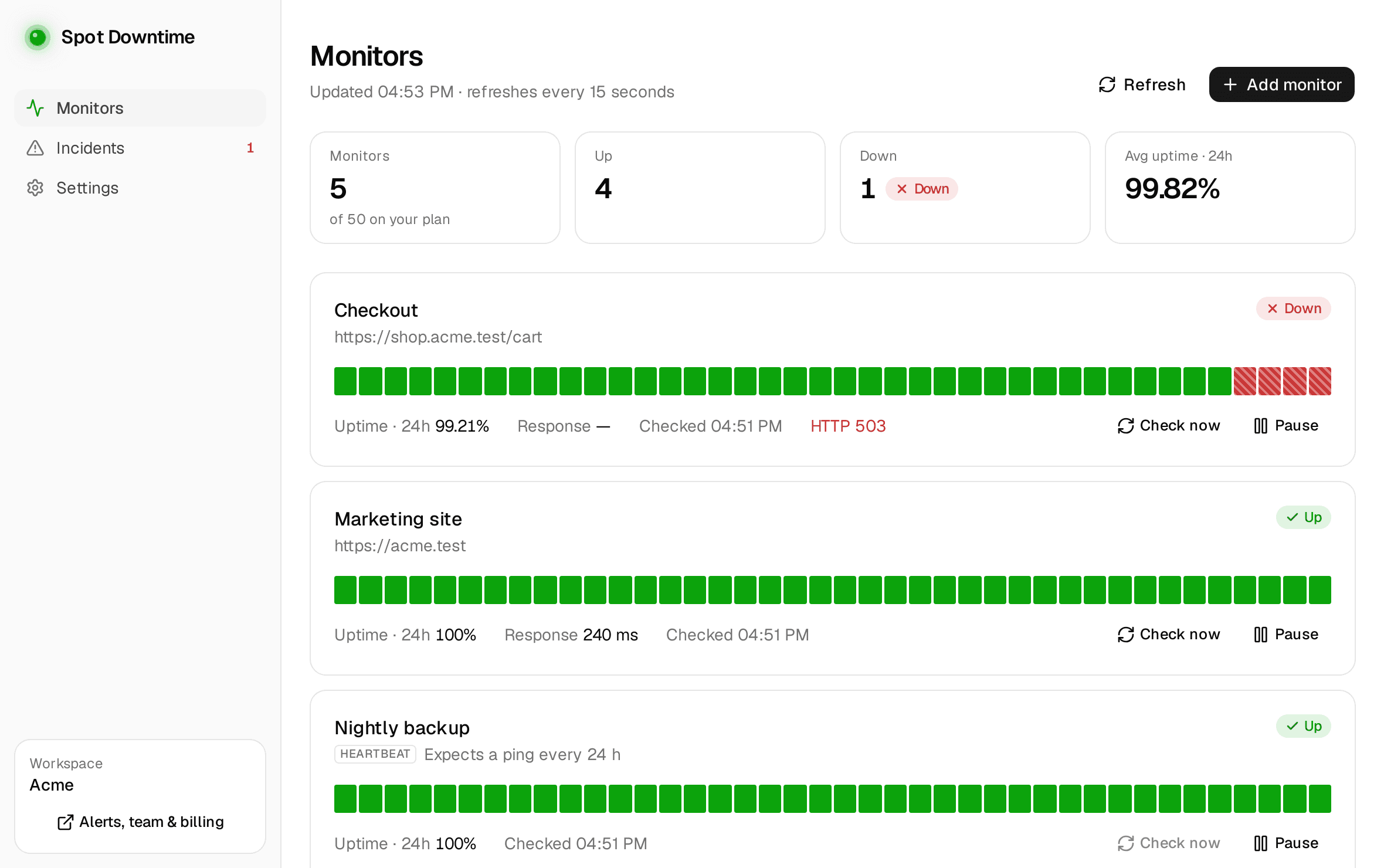
Spot Downtime now has a desktop app for Windows 10 and 11. It sits in the tray, tells you the moment a monitor goes down, and lets you do everything you'd do on the website with your monitors and incidents, without opening a browser. It's free on every plan.
Alerts you can act on
Within 15 seconds of a monitor going down, a Windows notification appears with the reason, such as HTTP 503 or connection refused. It stays on screen until you deal with it, with two buttons:
- Acknowledge marks the incident as yours, which stops an escalation policy from paging the next person, right from the notification.
- Open takes you to the monitor: what failed, its recent checks and response times.
Another notification follows when it recovers. Paused monitors and ones in a maintenance window stay quiet, as on the website.
Your monitors, on the desktop
Add, edit, pause and delete monitors of every kind (websites, APIs with JSON assertions and multiple steps, TCP and UDP ports, ping, DNS, heartbeats for cron jobs, third-party services and LLM APIs) with the same options and plan limits as the web app. Each monitor has its page with uptime for 24 hours to 30 days, a response-time chart with p95, and its incidents.
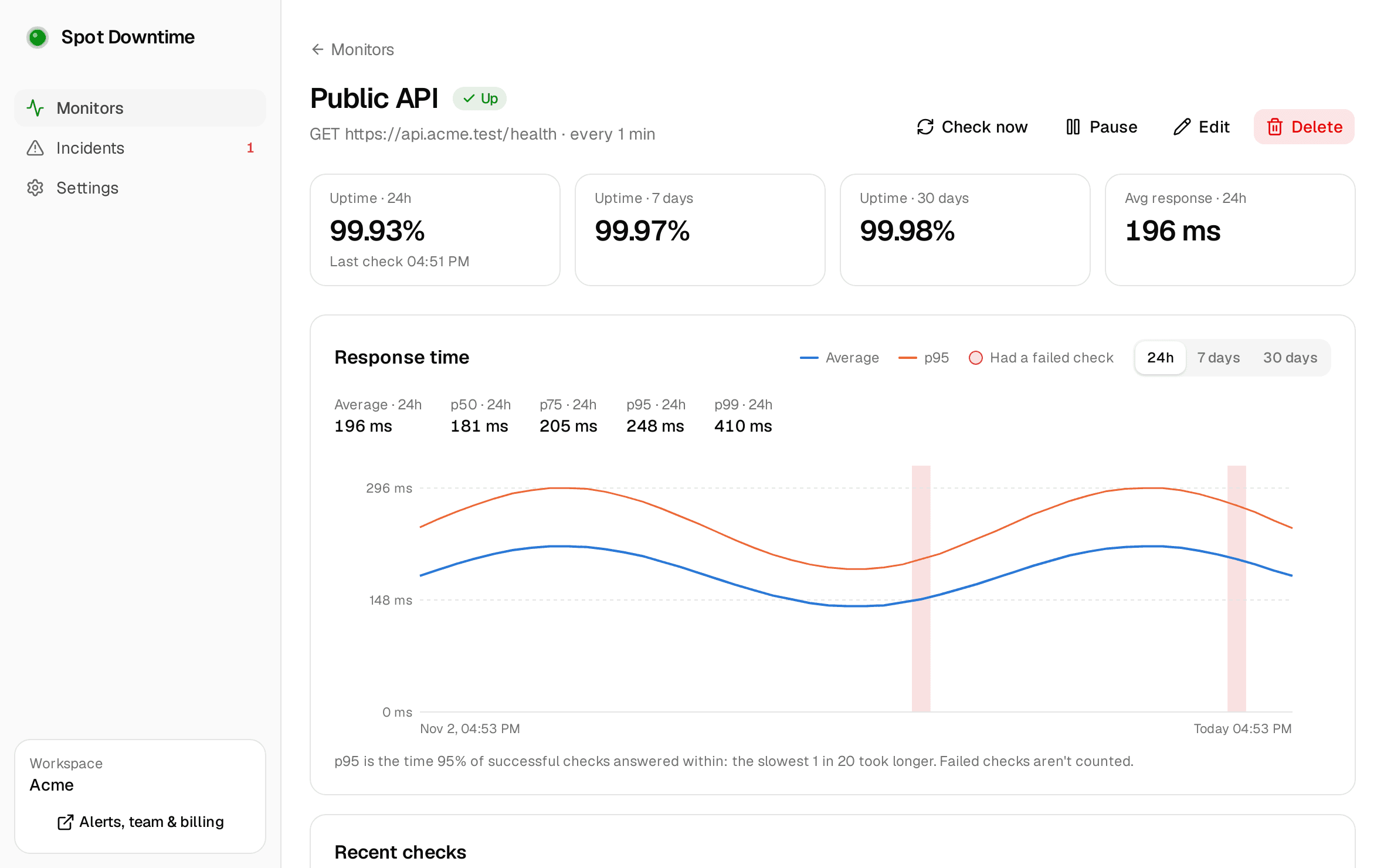
Incidents have their timeline too, and you can post updates to your status page from the app, public or just for your team.
Always on, out of the way
The app starts with Windows and lives in the tray. Closing the window keeps it running, so alerts keep coming, and if it ever crashes or Windows restarts for an update, it starts again by itself. The tray icon turns red while something is down.
Signing in
The app signs you in through spotdowntime.com in your browser, so your email, Google, GitHub and two-factor sign-in work as usual and the app never sees your password. You choose which workspace this PC watches, and whether it can make changes or only read. Alert channels, status pages, your team and billing stay on the website, and the app opens the right page when you need one.
Get it
It comes on top of your other alerts: email, Slack, SMS and the rest keep working from the cloud whether or not your PC is on. On your phone, there's the iPhone and Android app.
Get new guides by email
Practical posts on monitoring, outages, error fixes and on-call, when they're published. No spam.
Keep reading
- Alerts · Product updatesNew: get a text message when your site goes downSpot Downtime now texts you when a monitor goes down, recovers or has an expiring SSL certificate, and can call you too. Credits included on every plan, Free too.October 9, 2026 · 2 min read
- Monitoring · Uptime · AlertsHow often should an uptime monitor check your site?Check interval decides how long an outage goes unnoticed. How to pick between 30 seconds, 1 minute and 5 minutes, and which services deserve the faster setting.November 14, 2026 · 6 min read